Essential calls hub
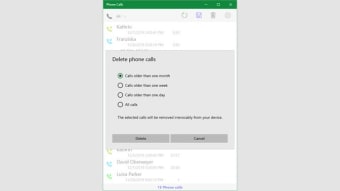
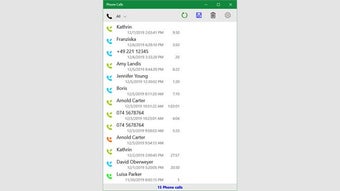
The Phone Calls app offers a free, user-friendly way to manage voice communication on PC. Its streamlined setup and intuitive interface focus on accessibility instead of complex extras. Users can make and receive calls effortlessly, enjoying a dependable, straightforward experience that prioritizes clarity and convenience over unnecessary complication.
Top Recommended Alternative

The Phone Calls app integrates smoothly into everyday workflows, providing a dependable voice communication client without overwhelming features. While it lacks the customization depth of advanced telephony software, it succeeds by maintaining simplicity and focus. Its design highlights stability, ease of use, and an efficient calling experience over added intricacy.
Simple calling made easy
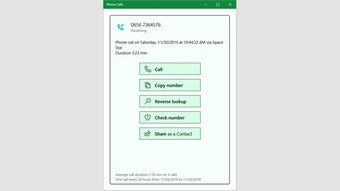
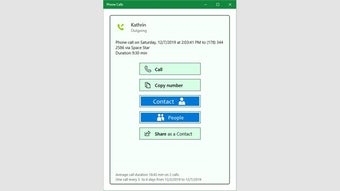
The program excels in direct call support, allowing users to search contacts or dial numbers seamlessly within Windows. Its efficient Bluetooth integration connects your phone for effortless calling directly from the PC, maintaining smooth performance and low resource use. Still, users seeking advanced call-routing, enterprise telephony, or full PBX management may find the program limited, as it focuses more on streamlined functionality than on specialized communication control.
The program efficiently manages essential call functions such as placing, viewing, muting, and transferring with minimal delay, ensuring a smooth and responsive experience. Its lightweight and optimized design allows consistent performance even on low-spec devices, making it ideal for casual or personal communication. However, limited integrations and a lack of advanced telephony customization may hinder long-term use for professionals or businesses needing greater flexibility and scalability.
For individuals who simply want a free or low-cost voice-calling client embedded in their desktop environment and easy to set up, this tool is a very solid choice. If your priorities include multiple lines, sophisticated call flows, or suite integration across business platforms, you might find more capable alternatives elsewhere. Ultimately, whether the tool works for you comes down to balancing ease and simplicity against feature breadth and future-proofing.
A practical call manager
Phone Calls app offers a straightforward, reliable calling experience focused on ease of setup and smooth system integration. Its lightweight design and stable voice performance make it ideal for personal or casual use. However, its limited feature set may not satisfy users needing advanced telephony tools or scalable business functions, making alternative solutions better suited for long-term or enterprise needs.